
If you are looking for cheap, reliable web hosting, the first decision should not be which server plan to rent.
It should be:
Which part of my business actually needs a server?
Maybe you want to validate a SaaS idea. Maybe your team needs a small internal tool. Maybe you have a product catalog, or an old website still hosted on GoDaddy because nobody wants to touch it.
Those are not the same technical problem.
A brochure website may need only fast static delivery. A catalog may need a small data layer. An internal application may require authentication, permissions, transactions, background jobs, and PostgreSQL.
The cheapest reliable architecture is not the one with the lowest advertised monthly price. It is the smallest architecture that can handle the real work without creating operational risk.
A website is not the same as an application
Consider three businesses:
- A local company needs pages for its services, location, contact details, and a few articles.
- A retailer needs product categories, prices, availability, and an admin panel.
- A team needs to register customers, generate documents, process payments, manage inventory, and run automated tasks.
All three may say, “We need a website.” Technically, they need three different products.
The first is mostly content. The second adds a controlled data layer. The third is an application with business rules and operational state.
Infrastructure should grow with that complexity—not before it.
The simple architecture for a modern website
For a corporate website, blog, landing page, or modest public catalog, a common architecture looks like this:
Astro
  ↓
Cloudflare Pages / Workers
  ↓
Optional D1 database for small managed content
  ↓
Git-based deployment
Astro is designed to render most of a page as fast, static HTML and add JavaScript only to the interactive components that need it. This is commonly called Islands Architecture. The official Astro Islands documentation explains how that approach avoids sending a large JavaScript application to every visitor.
For a small business, that can mean:
- The public page loads from the edge;
- The browser receives very little JavaScript by default;
- Content changes can be deployed from Git;
- There is no Node.js process running continuously just to serve a brochure page;
- The operational surface is smaller than a traditional CMS installation.
This is especially useful when migrating an old GoDaddy site. A migration does not always require rebuilding the company’s entire operation. Sometimes the correct first step is simply to replace a slow, hard-to-maintain public website with a fast and versioned one.
What Cloudflare Pages does—and does not—solve
Cloudflare Pages can serve static assets globally. Cloudflare’s current documentation states that static asset requests are free and unlimited on both its free and paid Pages Functions plans. That does not mean every dynamic request is free or unlimited.
When a request invokes a Pages Function, it is billed and limited as a Workers request. On the Workers Free plan, the account limit is 100,000 requests per day. The Workers Paid plan starts at $5 per month and includes 10 million requests per month, with usage-based charges beyond the included amounts. See the official Pages Functions pricing and Workers pricing.
The practical distinction is simple:
- A static landing page is mostly an asset-delivery problem;
- A form handler, authenticated panel, or catalog API is a compute and data problem;
- A process that runs for minutes is a workload-design problem.
Cloudflare is an excellent fit for the first category and can also handle many small applications. It is not a reason to pretend that every backend workload is static.
Where D1 fits
Cloudflare D1 is a serverless SQL database that can work well for small and medium-complexity data models, such as:
- Blog posts and categories;
- A modest product catalog;
- Contact submissions;
- Configuration for a managed website;
- A simple internal dashboard;
- Low-volume records that need structured queries.
D1 is not a database without limits. Current Cloudflare documentation lists a maximum size of 500 MB per database on the Workers Free plan and 10 GB per database on Workers Paid. The free plan includes 5 million rows read per day, 100,000 rows written per day, and 5 GB of total account storage. The paid plan includes larger monthly allowances and bills additional usage.
There is also an important performance detail: each individual D1 database processes queries essentially one at a time. If a query takes 1 millisecond, its theoretical throughput is very different from a query that takes 100 milliseconds. Full table scans and missing indexes can become a problem before the application has a large number of users.
The official D1 limits and D1 pricing should be checked before committing a production system to a specific plan.
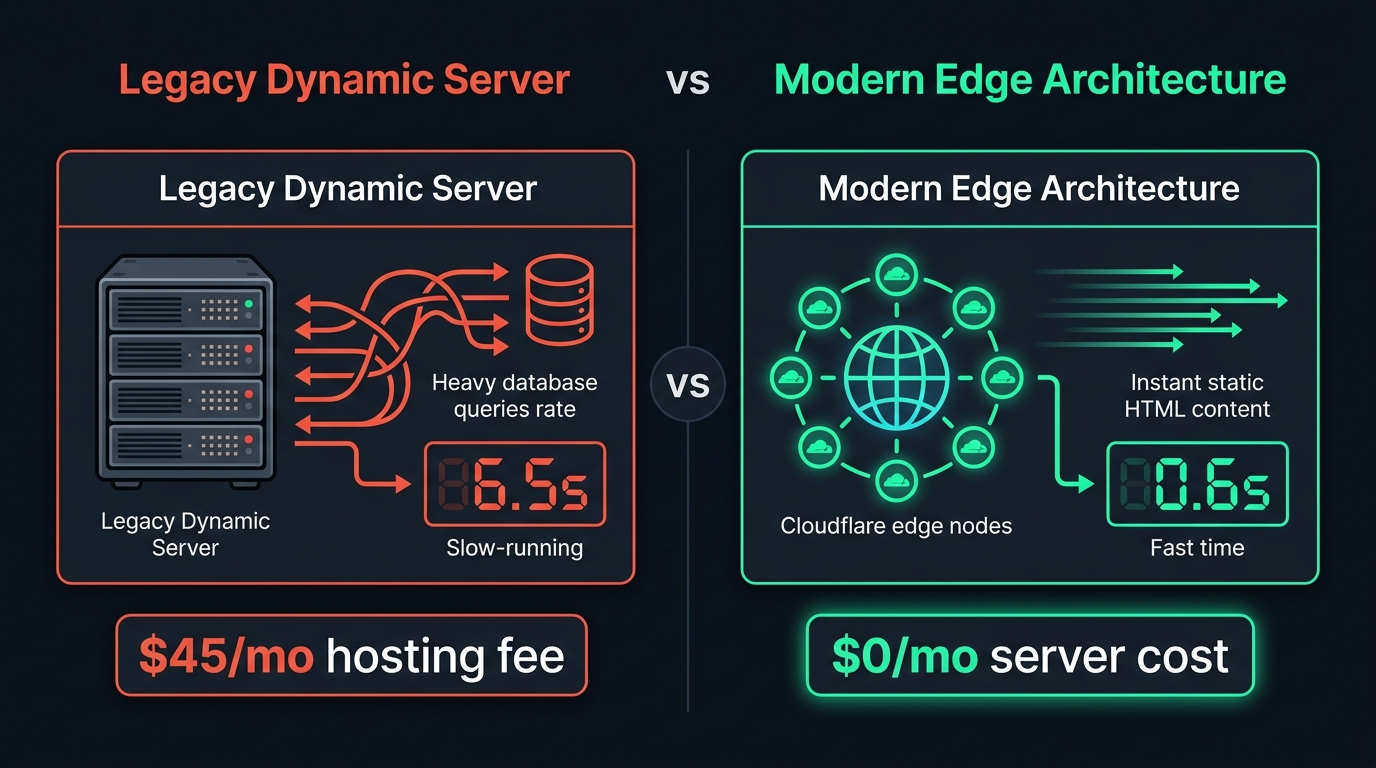 Figure 1: A public website, a small data layer, and a long-running backend are different workloads. Choose the infrastructure for the workload—not for the label “website.”
D1 is a reasonable choice when tables remain controlled, queries are indexed, writes are not highly concurrent, and the application does not depend on long-running processes. It becomes less attractive when the system needs advanced PostgreSQL features, heavy document processing, complex transactions, or permanent workers.
The subtle limit when Cloudflare connects to PostgreSQL
If a Cloudflare Worker connects to a traditional PostgreSQL database through Hyperdrive, the relevant metric is not only HTTP traffic. Hyperdrive counts database statements.
Technical note for teams evaluating architecture
A dashboard request that executes five SQL statements consumes five Hyperdrive queries. For example:
20,000 API requests × 5 SQL statements = 100,000 Hyperdrive queries per dayThat reaches the Workers Free Hyperdrive allowance even though the application received only 20,000 API requests. Cached and uncached statements are counted, and exceeding the daily limit causes further operations of that type to fail until the limit resets.
This means the first constraint for an internal tool or early SaaS may not be the number of concurrent users. It may be:
- Queries executed by each screen;
- Frequent polling;
- Duplicate queries;
- Endpoints that make too many database calls;
- PDF generation or file processing;
- Administrative workflows with intensive reads and writes.
Cloudflare documents 100,000 database queries per day on the Workers Free plan and unlimited database queries on Workers Paid. Connection pooling and query caching are included with Hyperdrive; they do not create a separate Hyperdrive charge. Read the official Hyperdrive pricing documentation and Hyperdrive limits before selecting an architecture.
These examples are planning scenarios, not promises about how many users a system can support:
| Scenario | Active users or visitors per day | Approximate requests | Planning interpretation |
|---|---|---|---|
| Small catalog | 1,000 visitors | 2,000–10,000 | Free may be technically sufficient |
| Early SaaS | 20 operators plus a catalog | 5,000–30,000 | Free could work with efficient queries |
| SaaS gaining traction | 100 operators plus a catalog | 30,000–100,000 | Monitor query volume closely |
| Intensive usage | 100+ operators, polling, and many queries | More than 100,000 | Evaluate Workers Paid |
| Business-critical availability | Any volume | — | Paid is the more conservative starting point |
The lesson is not that Cloudflare is unsuitable for PostgreSQL. Hyperdrive is specifically designed to improve connectivity to traditional regional SQL databases. The lesson is that a database-backed screen must be measured by statements per request, not by HTTP requests alone.
What a VPS such as Hetzner gives you
A Hetzner cloud server represents a different operating model. Instead of running short backend functions on demand, you rent a complete machine and decide what runs on it.
That can include:
- Node.js or Python services;
- PostgreSQL;
- Redis;
- Permanent workers;
- Cron jobs;
- File processing;
- PDF generation;
- Queues and scheduled tasks;
- Internal services that need a private network.
The main benefit is control. If you need a process to run for several minutes, install a native library, maintain a persistent worker, or use PostgreSQL extensions, a VPS is often more natural than forcing the workload into a serverless function.
The tradeoff is responsibility. A cheap VPS is not a managed application. Your team or technical partner must account for:
- Operating-system updates;
- Firewall and SSH configuration;
- TLS certificates;
- User permissions;
- Backups and restore tests;
- Monitoring and logs;
- Secret rotation;
- Abuse protection;
- Recovery after failure;
- Capacity planning.
Hetzner’s documentation explicitly notes that backups and snapshots are copies of the server disk and do not include attached Volumes. It also documents a maximum of seven automatic backup slots. Read the official Hetzner backup and snapshot overview before treating a server backup as a complete database-backup strategy.
The server may be inexpensive. The operation around the server is not automatically free.
Practical comparison
| Need | Astro + Cloudflare | Backend on a VPS |
|---|---|---|
| Corporate website | Excellent | Possible, but often excessive |
| Landing page for paid traffic | Excellent | Usually unnecessary |
| Small public catalog | Strong fit with a small data layer | Possible |
| Simple admin panel | Appropriate with Functions and D1 | Excellent |
| Advanced PostgreSQL | Not its primary use case | Excellent |
| Long-running processes | Limited | Excellent |
| Permanent workers | Limited | Excellent |
| OCR or heavy document processing | May need additional services | More natural |
| Global static delivery | Excellent | Requires additional architecture |
| Operating-system control | Low | High |
| Infrastructure maintenance | Lower operational burden | Higher operational burden |
means the strongest fit for that requirement; means the weakest fit. For maintenance, a higher score means less operational work for the business.
This is not a contest between Cloudflare and Hetzner. They solve different problems.
A hybrid architecture is often the practical answer
You do not have to place every part of a business on one provider:
Public website and catalog
  → Astro + Cloudflare

Simple administrative panel
  → Cloudflare Functions + D1

Long-running or heavy processing
  → Node.js or Python worker on a VPS

Files and generated documents
  → Object storage such as R2 or equivalent

Deployment
  → Git-based CI/CD
This lets each layer use infrastructure that matches its behavior. A company should not pay for and maintain a full server for a site that only publishes content. It also should not force a critical operational system into a runtime that was not designed for long jobs or complex transactional workloads.
Questions to answer before migrating
Before moving an old site or building an internal tool, answer these questions:
- What content must the business edit itself?
- How many people will use the panel?
- How many reads and writes happen each day?
- What data must be stored and for how long?
- Is an audit history required?
- Are there processes that run longer than a normal request?
- What happens if the database is unavailable?
- Who owns backups and restore testing?
- Which third-party services add recurring costs?
- What should be ready to scale in the next 12 months?
These questions usually reveal that the first version can be smaller than the original infrastructure proposal—or that a cheap shared host would create more risk than it removes.
Need a reliable architecture for your business?
We help you choose the smallest dependable setup for publishing, selling, or operating online—then build the right next step.
- A fast public website or landing page
- A manageable product catalog